
Cosul este gol
Dell Inspiron 14 (1464) - review laptop business
29/07/2015
Tastatură și touchpad
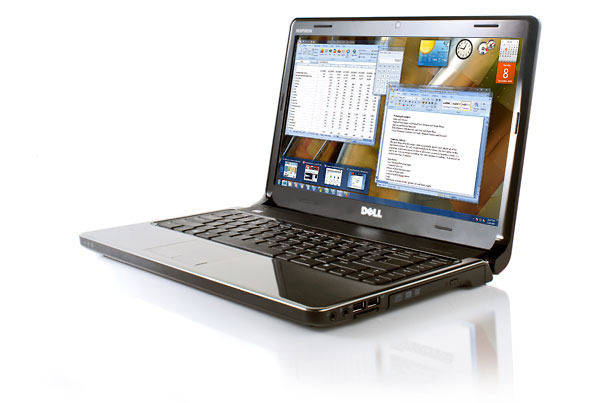
Tastatura oferă un feedback destul de bun, însă tasta Shift dreapta este subdimensionată.
Touchpad-ul oferă acuratețe în navigare, însă nu suportă gesturi multitouch. Butoanele nu oferă un feedback foarte bun.
Display și audio
Ecranul LED, de 14 inchi, cu rezoluție de 1366x768 pixeli, oferă imagini foarte detaliate, însă culorile mai strălucitoare apar mai șterse.
Difuzoarele, ce dispun de tehnologia SRS Premium Sound, emit un sunet destul de puternic.
Porturi
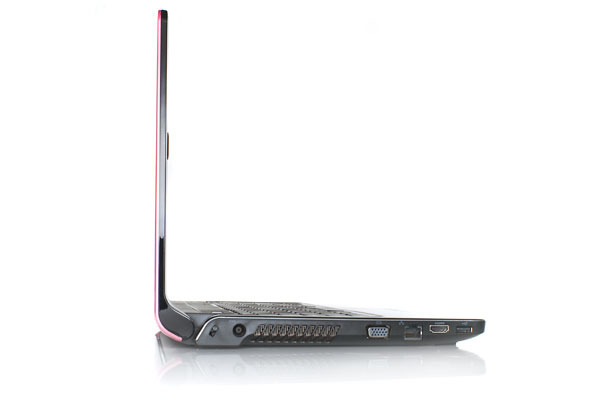
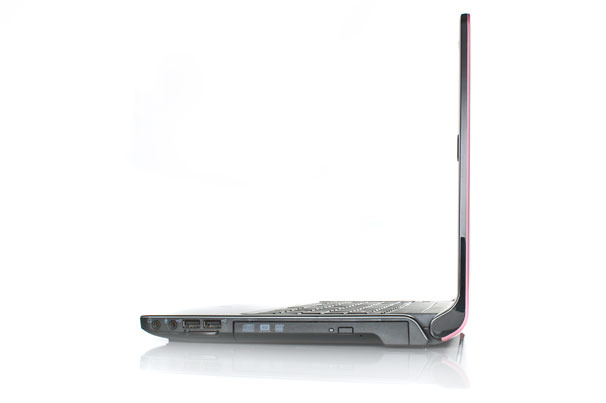
Partea stângă a laptop-ului găzduiește un port USB, un port HDMI, un port Ethernet, un port VGA și mufa de alimentare. Partea dreaptă a laptop-ului integrează jack-urile pentru căști și microfon, alte două porturi USB, un cititor de carduri 7 în 1 și o unitate DVD.
Performanță
Integrând un procesor Intel Core i3, tactat la 2,13 GHz, și 2 GB RAM, laptop-ul a obținut în benchmark-ul PCMark Vantage un scor de 4,248 puncte, peste media categoriei de 3,519 puncte, dar și peste Lenovo ThinkPad Edge 14 (4,293 puncte).
Despite being saddled with 2GB of RAM, the Inspiron 14’s 2.13-GHz Intel Core i3 processor helped this notebook notch a PCMark Vantage score of 4,248. That’s well above the thin-and-light notebook average of 3,519, and only slightly below the Lenovo ThinkPad Edge 14’s score of 4,293 (which had the same amount of memory). In terms of everyday performance, the Inspiron 14 multitasked well, as it was able to juggle several browser tabs and zip around Google Earth with ease.
Not only is the 5,400-rpm, 250GB hard drive on the small side for this price, but it’s not exactly blazing, either. In the LAPTOP Transfer test, the Inspiron 14 notched a rate of 20.5 MBps. That’s below the category average of 22.1 MBps, but not far below the ThinkPad Edge 14 (21.7 MBps) and Toshiba Satellite E205 (21 MBps). The Inspiron 14 booted in a rather sluggish 1 minute and 11 seconds, well behind the 57-second average.
Articole Recente
- Lenovo ThinkPad L460 - Review
- Lenovo Yoga 710 - Review
- Asus Zenbook Flip S UX370UA - Review
- Asus ROG Strix GL703VD - Review
- Dell Latitude 14 E7470 - Review
- Lenovo ThinkPad 13 - Review
- Lenovo ThinkPad E470 - Review
- Review Presenter wireless LOGITECH R400
- ASUS FX502VM-FY293 - Review
- ASUS X541UA-GO1372T - Review
© 2009-2026 ILCO NETWORKS SRL.

 Vorbim pe Whatsapp?